Posted by My Wingio
Filed in Technology 9 views
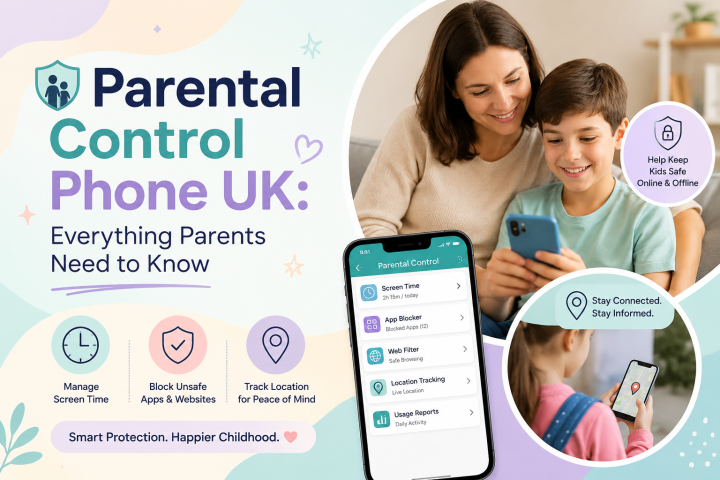
Choosing a first phone for a primary school child can be challenging. Parents often want their children to be able to contact them when travelling to and from school, while also limiting unnecessary access to social media, games, websites and other online distractions.
This is where Child Safety Phones UK can be a useful option. Instead of giving a young child an unrestricted smartphone, parents can choose a device with limited functionality or strong parental controls.
The right choice depends on your child's age, maturity, daily routine and communication needs. The NSPCC also recommends considering a child's individual needs and maturity when deciding whether they are ready for a phone. (NSPCC)
Not every primary school child needs a mobile phone. However, a phone can be useful when a child starts travelling independently, attends after-school activities or needs to contact parents in an emergency.
For younger children, the main purpose should usually be communication rather than entertainment.
A suitable child-friendly phone can help children:
Call parents when needed
Contact approved family members
Stay connected during journeys
Develop responsible technology habits
Learn basic digital safety skills
Parents should also remember that schools may have strict phone policies. In England, updated Department for Education guidance requires schools to operate as mobile-phone-free environments by default, with schools beginning to follow the statutory guidance from 1 September 2026. (GOV.UK)
When comparing Child Safety Phones UK, parents should look beyond the phone's appearance and specifications.
The most important features are those that help parents manage access and encourage safe usage.
Strong parental controls should be one of the first things parents check.
Depending on the phone, these controls can help parents:
Restrict apps
Manage screen time
Filter websites
Control downloads
Manage contacts
Restrict online content
Government online-safety guidance notes that parental controls can help manage screen time, filter inappropriate content, restrict purchases and, where appropriate, track location. (Kids Online Safety)
Primary school children may not need access to every application available on a standard smartphone.
A child safety phone with app restrictions can allow parents to decide which applications are suitable.
For example, parents might allow educational and communication apps while blocking social media, gaming or other distracting applications.
Screen-time controls can help children establish healthier technology habits.
Parents may choose to limit recreational phone use during:
School hours
Homework time
Family meals
Bedtime
Overnight hours
However, parental controls should support conversations and family rules rather than replace them. Government guidance recommends regularly discussing online safety with children and reviewing restrictions as they grow. (Kids Online Safety)
For children who travel independently, location tracking can provide additional reassurance for parents.
It may allow parents to check their child's location when they are travelling to school, visiting friends or attending activities.
Parents should explain location tracking to children and make sure they understand why it is being used.
For a primary school child, calling and messaging may be more important than having access to hundreds of apps.
A good child safety phone should make it easy for children to contact trusted family members when necessary.
Some parents may prefer a basic phone with calls and texts only, particularly if their child is not ready for internet access. The NSPCC specifically suggests considering limited-feature phones as an option for children who need communication for travel but whose parents are concerned about online risks. (NSPCC)
There are two main approaches parents can consider.
Basic phones typically focus on calls and texts with minimal internet functionality.
They can be suitable for younger children who simply need a way to contact their parents.
Advantages include:
Fewer distractions
Simple operation
Limited internet access
Less exposure to apps and social media
Longer battery life on many models
Smart child safety phones provide more functionality while allowing parents to restrict access.
They may offer:
App controls
Website restrictions
Screen-time management
Location tracking
Educational apps
Controlled internet access
Communication features
These phones can be particularly useful when parents want to introduce smartphone functionality gradually.
Social media access is an important consideration for primary school children.
A standard smartphone can provide access to numerous social platforms unless appropriate restrictions are configured.
A child safety phone can give parents greater control over whether social media apps and related websites are available.
This does not mean technology should be completely avoided. Instead, parents can introduce online services gradually and discuss appropriate online behaviour with their children.
Before buying a phone, parents should check their child's school policy.
In England, the Department for Education's 2026 guidance says schools should be mobile-phone-free by default, including during lessons, between lessons, breaktimes and lunchtime. (GOV.UK)
The Children's Commissioner has also reported that 99.8% of primary schools already had policies limiting or restricting mobile phone use during the school day. (GOV.UK)
Therefore, a phone for a primary school child may primarily be useful for the journey to and from school rather than for use inside school.
Before purchasing, ask yourself these questions:
If your child only needs calls and messages, a basic phone may be enough.
If your child travels independently, location features may be useful.
Look for phones that allow parents to approve, restrict or block applications.
Screen-time management can help establish boundaries around recreational phone use.
If you want to delay social media access, check whether the phone allows these apps and websites to be blocked.
The best Child Safety Phones UK are not necessarily the ones with the most features. The best option is the one that provides the right level of functionality for your child's maturity and needs.
Choosing a first phone for a primary school child is about finding the right balance between communication, independence and safety.
A basic phone may be ideal for a younger child who only needs calls and texts. A smart child safety phone may be more suitable for families that want features such as parental controls, screen-time management, app restrictions and location tracking.
Most importantly, the phone should be introduced alongside clear family rules and regular conversations about online safety.
For parents searching for Child Safety Phones UK, focusing on safety features rather than simply choosing the latest smartphone can make the transition to mobile technology more manageable and age-appropriate.